Daily work · capture-complete
Use the dashboard and search
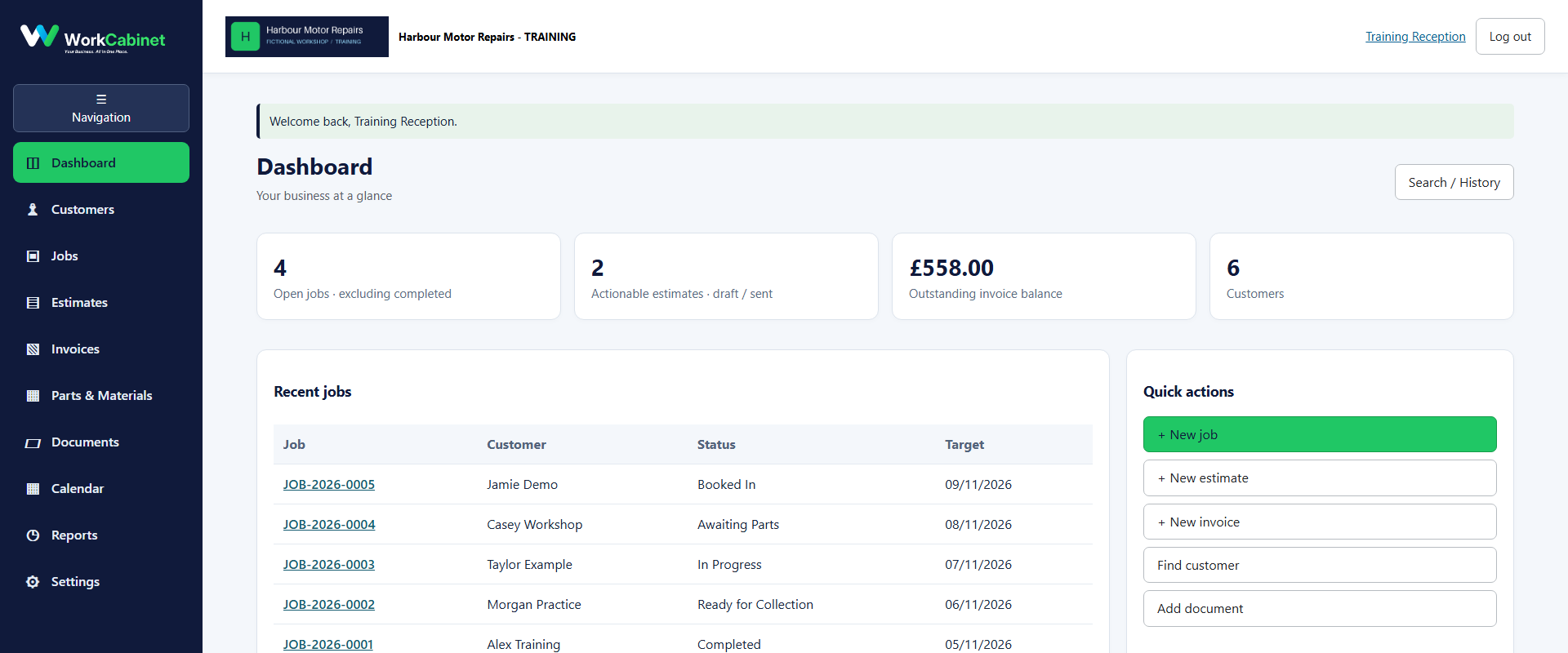
Route under test: dashboard
Before you start
- Signed-in WorkCabinet user
Workflow
- Step 1. Open Dashboard.
- Step 2. Review the summary cards and recent activity.
- Step 3. Use the global search to find a customer or document.
Capture note: This image is genuine product evidence. Representative captures are used where the workflow prerequisite itself is not a visible application screen.